What's After the Blog?
breakdown • feature
Star Trek: The Next Generation USS Enterprise Bridge Layout Explained
A comprehensive breakdown of every console and station aboard the USS Enterprise-D bridge from Star Trek: The Next Generation. From the forward Conn and Ops positions to the aft science and engineering consoles, we explore the layout, functions, and behind-the-scenes production details of television's most famous starship set.
April 27, 2026
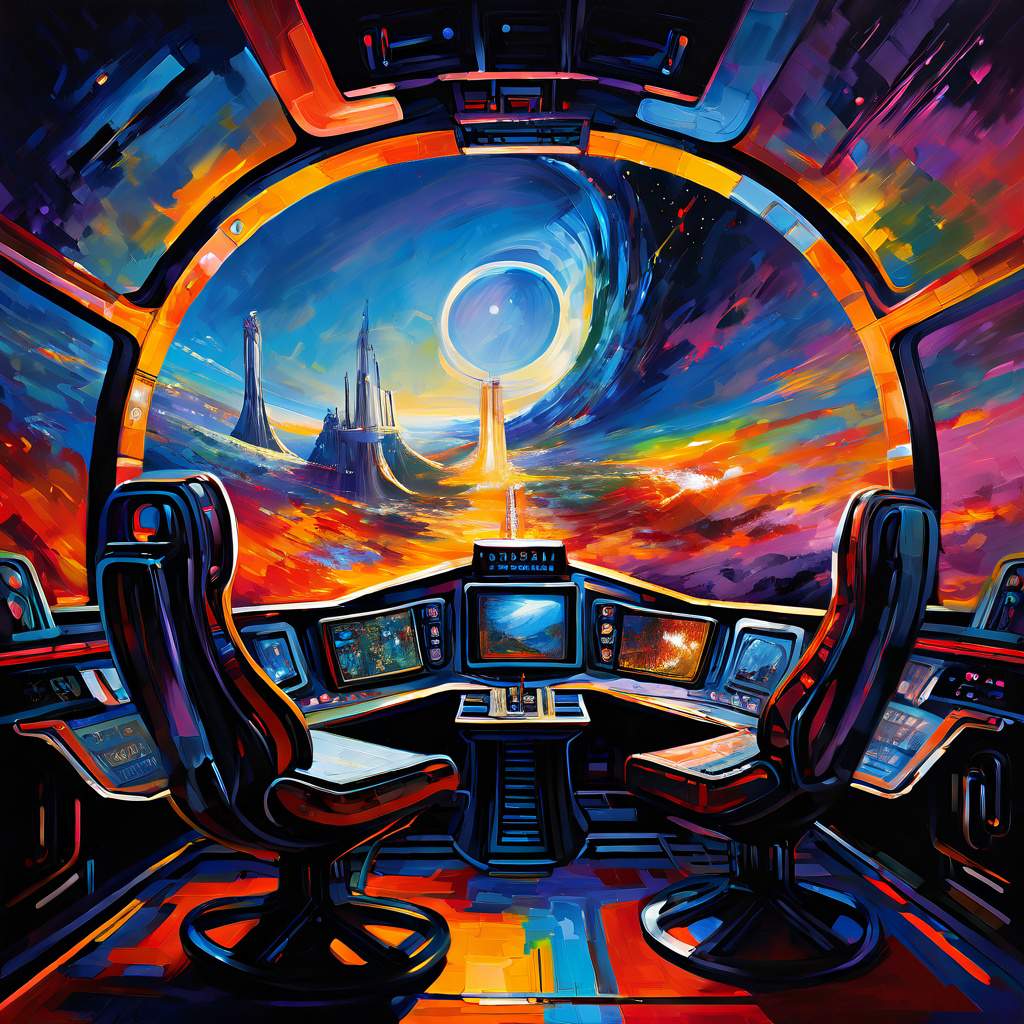
Star Trek: The Next Generation USS Enterprise Bridge Layout Explained
For seven seasons and across multiple feature films, the bridge of the USS Enterprise-D served as the strategic and operational heart of Star Trek: The Next Generation. Unlike the utilitarian, brightly colored aesthetic of the original 1960s series, this redesigned command deck featured carpeted floors, warm ambient lighting, and ergonomically designed furnishings that created a distinctly professional, corporate atmosphere. Detailed in reference works such as Star Trek: The Next Generation 365 and the Star Trek: The Next Generation Technical Manual, the set design reflected a future where interstellar exploration had evolved into a more diplomatic and comfortable endeavor, with every station carefully positioned to facilitate Captain Picard’s collaborative command style while maintaining the operational readiness expected of Starfleet’s flagship.
The Command Center: Captain’s Chair and Forward View
At the geometric center of the bridge sat Captain Jean-Luc Picard’s command chair, notably cushier and more executive in appearance than its Constitution-class predecessor. Flanking the captain were two equally comfortable office-style positions: one designated for the first officer and another specifically for the ship’s counselor, creating a tight-knit command triangle unique to this vessel class. Behind this trio rose the distinctive tactical rail—a sweeping, extended curving wooden panel that wrapped around the command area like a giant horseshoe, providing both architectural elegance and functional separation between the command staff and rear operations.
Ahead of the captain stretched the massive viewscreen, serving dual purposes as both a digital windshield offering panoramic views of the stars through which the ship trekked, and as a sophisticated communication interface facilitating face-to-face visual contact with alien vessels and Starfleet Command. This forward-facing display dominated the bridge’s aesthetic, reinforcing the vessel’s primary mission of exploration and diplomatic contact.
Flight Control and Operations: Conn and Ops
Positioned immediately forward of the captain’s chair, the bridge’s two primary flight stations handled the vessel’s complex maneuvering through three-dimensional space. To the captain’s right sat the Conn station—short for “control”—functioning as the ship’s helm and primary navigation center. Here, conn officers inputted complex headings and managed the Enterprise’s steering, a task involving intricate computer calculations to navigate the starship through the void. Interestingly, Starfleet deemed this duty straightforward enough that they typically assigned junior officers and ensigns to the post, including the young acting-ensign Wesley Crusher during his early tenure aboard the vessel, suggesting that while complex, the actual piloting could be managed by less experienced personnel under command supervision.
To the captain’s left stood the Operations console, or Ops, typically manned throughout the series by Lieutenant Commander Data. According to technical documentation, this station oversaw the technical efficiency of bridge operations, monitoring life support systems throughout the vessel and managing resource allocation to prevent departmental conflicts over scanner usage and power draw. Ops also maintained oversight of away team deployments, coordinated departmental activities, and provided continuous status updates on shipboard computers and systems, essentially serving as the bridge’s central nervous system for information flow and operational coordination.
Tactical Operations and Ship Security
Rising from the center of the curved tactical rail directly behind the captain’s chair, the Tactical station required its operator to remain standing—a posture befitting its alert, defensive function. Following the first season, Lieutenant Worf assumed this critical position as both Tactical Officer and Chief of Security, making this station the hub of both offensive and defensive operations. From this elevated console, the officer controlled the Enterprise’s phasers and photon torpedoes, executing weapons commands per the captain’s orders with immediate response capability.
Beyond offensive capabilities, Tactical managed all hailing frequencies and external communications protocols, while simultaneously monitoring internal security systems and shipwide safety measures. This consolidation of armaments, communications, and security oversight reflected the Klingon officer’s dual responsibilities, creating a centralized command position for all matters of protection and external contact.
The Aft Science and Engineering Consoles
The rear wall of the bridge featured five distinct computer stations arranged in a gentle arc against the back bulkhead, providing specialized support functions that complemented the forward command operations. These positions saw heavy activity throughout the series, though their specific purposes remained mysterious to casual viewers until detailed in companion reference materials. From left to right, these consoles included:
-
Science I and Science II: Located at the port-side end of the aft array, these stations lacked permanent officer assignments according to technical specifications, instead providing deep scientific analysis capabilities as needed. Officers here coordinated complex research projects utilizing laboratories throughout the ship and supported specialized scientific investigations requiring dedicated computer resources and data processing.
-
Mission Ops: Centered in the aft bank, this station served as redundant backup to the forward Ops console, offering enhanced data processing for operational matters. During crisis situations, Mission Ops could assume tactical tracking duties, monitoring enemy vessel movements and providing detailed situational analysis to support the command staff.
-
Environment: Situated to starboard of center, this console managed the Enterprise’s life support infrastructure, controlling atmospheric composition, artificial gravity, and temperature regulation throughout the vessel. While normally operating on automated systems, the Environment station allowed manual intervention during emergencies, including the ability to shut down air circulation to unpopulated sections during power shortages to conserve energy for critical systems.
-
Engineering: At the far right of the aft consoles, this station provided Chief Engineer Geordi La Forge with remote access to Main Engineering systems. Though La Forge typically directed engine operations from the ship’s lower decks, this console allowed him to monitor and control critical propulsion functions while attending meetings or crises on the bridge itself, effectively extending engineering’s reach to the command deck.
Behind the Scenes: Production Challenges on the Set
While the bridge design created an immersive environment for millions of viewers, the physical set presented significant technical hurdles during the show’s seven-year production run. The glossy surfaces of the rear computer stations proved highly reflective, frequently catching set lights and boom microphones during filming to the frustration of the cinematography team. This interference created continuity headaches for the production crew, who resorted to placing pieces of black construction paper over the most reflective panels to minimize glare and hide equipment reflections.
Eagle-eyed fans examining the high-definition Blu-ray releases can still spot these temporary fixes taped to the rear monitors in certain episodes, offering a tangible glimpse into the practical realities of 1980s television production behind the futuristic sci-fi facade. These small details reveal the constant negotiation between set design aesthetics and the technical demands of lighting and camera placement that shaped the final look of this iconic series.
What’s After the Movie?
Looking for more deep dives into classic television production design and behind-the-scenes details from your favorite science fiction series? What’s After the Movie offers comprehensive coverage of film and television history, including detailed set analyses, box office retrospectives, and spoiler-free summaries of iconic shows. Visit our blog for more entertainment features, or browse our movie collections to explore franchise histories from Star Trek to modern blockbusters.
Continue reading


What's After the Movie?
Not sure whether to stay after the credits? Find out!
Check out our other apps:

SAT Sphere
Build confidence for the Digital SAT.

Mori Atlas
Discover wild places worth protecting.

Luntero
Search smarter for a home in Amsterdam.

Plot Explained
Unravel movie endings and hidden clues.

Pokechamp
Dive into Pokémon data and battle logic.

Driving Theory
Get ready for your European theory test.

Movie Dust
Plan your next cinema trip with ease.

Musemap
Find art and culture as you travel.

Selkobase
Compare credentials before committing.

Local Manual
Turn an unfamiliar country into practical next steps.

Lernavi
Compare school systems before your next move.

GymRoam
Find a workout stop wherever your plans take you.
Explore Our Movie Platform
New Movie Releases (2026)
Famous Movie Actors
Top Film Production Studios
Movie Plot Summaries & Endings
Major Movie Awards & Winners
Best Concert Films & Music Documentaries
Movie Collections and Curated Lists
© 2026 What's After the Movie. All rights reserved.
Privacy Policy